Screenshots
About NativePHP Super Stack
Super Stack is NativePHP's open-source Laravel starter kit for applications that want a web surface, an administration panel, native mobile interfaces and an MCP integration in one starting project. Its value is the initial wiring between those pieces. It is a starting point for an application, so evaluate its decisions before treating it as the foundation of a product.
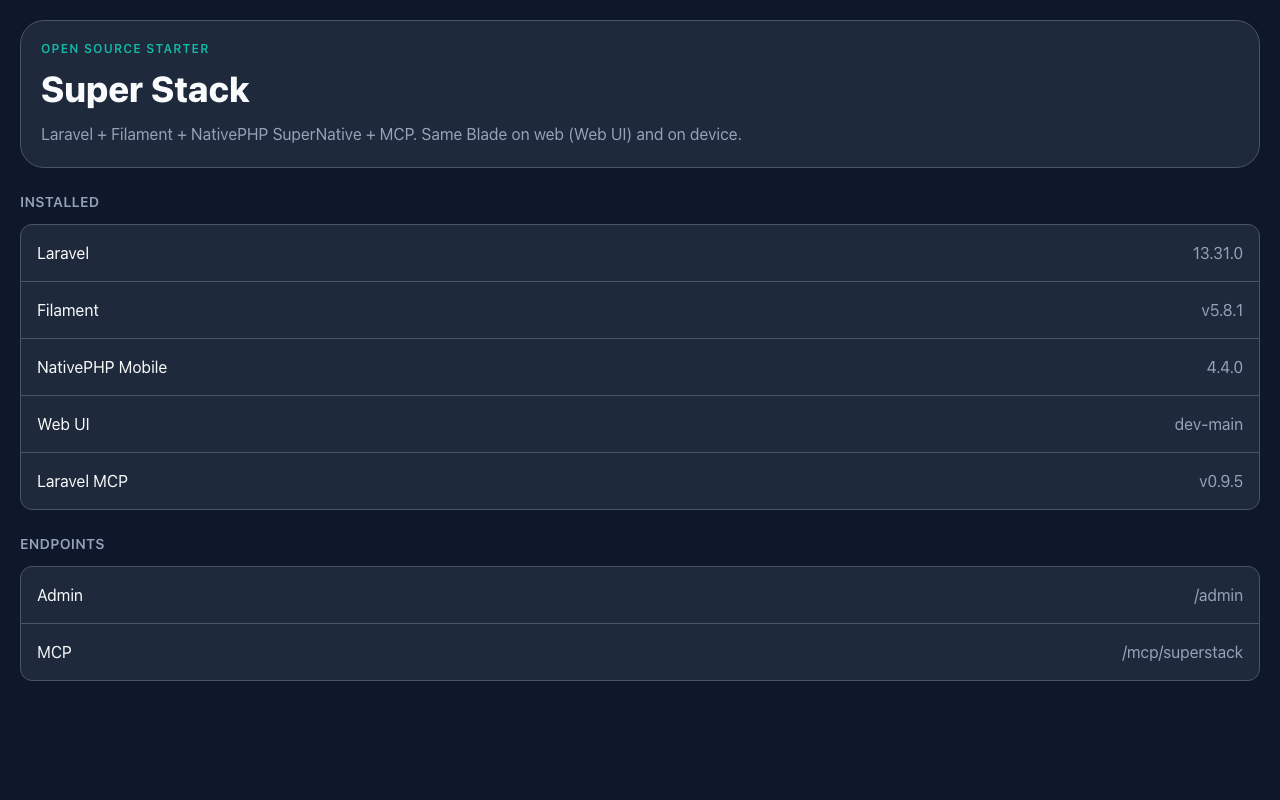
The current repository combines Laravel 13, Filament 5, NativePHP Mobile, the native UI package, the browser-oriented Web UI package, Sanctum and Laravel MCP. Those dependencies cover different responsibilities. Understanding their boundaries is more useful than treating the list as a promise that every possible application feature has already been implemented.
What the starter actually gives you
The repository provides a home screen using the SuperNative route and component approach, a Filament administration entry point and an MCP server with a small application-information tool. Sanctum is installed for API authentication, but the README explicitly distinguishes that wiring from a complete set of demonstration API features.
That clarity is helpful. A starter kit can make a service available without deciding your product's permissions, data model or workflows. Before adding features, inspect the routes, service providers and configuration to see which decisions are already made and which remain yours. A familiar package name in Composer does not necessarily mean its entire integration is production-ready.
The repository also documents the expected local setup. PHP 8.4 or newer is required by its current application manifest. Native runs need the appropriate native environment, and the generated platform directories are recreated through NativePHP's installation flow. Follow the repository's instructions for the version you actually install.
One screen across browser and device
Super Stack demonstrates a SuperNative screen whose Blade component structure can be rendered natively on a device and through Web UI in a browser. That is an interesting starting point for a team that wants to explore shared interface structure without beginning with two unrelated frontend implementations.
Shared markup still needs separate evaluation in each environment. A mouse, a touch screen and a software keyboard create different constraints. Check navigation, focus, input behaviour and the space available for controls. Reuse is most valuable when the resulting interface remains comfortable on each target rather than forcing every platform into the same interaction pattern.
It is also worth examining the maturity of the individual dependencies. The current manifest includes an alpha Web UI constraint. That does not make the starter unusable, but it should influence how you plan upgrades and how much stability you assume while building on that part of the stack.
Administration with Filament
The Filament panel gives the application a familiar place for internal management features. Use it to build resources, forms and tables around the domain you actually need. The starter's presence of an administration panel does not mean that every registered user should be allowed into it or that every model should be editable there.
Plan the panel's access rules early. Create the intended administrative account through the documented setup and define policies as resources are added. Separate a user's ability to sign into the application from their ability to manage other users' records. Those distinctions become harder to retrofit after an early demo has accumulated real data.
Filament's own documentation remains the reference for panel and resource behaviour. Use examples that match the installed major version. A snippet from an older panel tutorial can look familiar while depending on APIs that have moved or changed, so check the version before copying it into the starter.
MCP needs an explicit access decision
The repository states that its demonstration MCP server has no authentication configured. That is a concrete setup requirement, especially if the application will be reachable beyond a local development environment. Decide which clients may connect and what each tool is permitted to expose or change before publishing that endpoint.
The included application-information tool is a useful place to understand the request path. It reports application and package information rather than implementing a business workflow. When adding real tools, give each one a narrow purpose, validate its inputs and apply the same authorisation rules as other entry points to that operation.
An MCP tool should not become a second, less protected route into the application. Keeping the actual operation in an action or service can help the web controller, native interface and tool share behaviour while still applying the appropriate boundary checks for each caller.
Evaluate the starter with a vertical slice
Choose one small feature and implement it through the surfaces you intend to ship. For example, create a record through the main interface, review it in the administration panel and expose a carefully scoped read operation to an authorised client. This reveals how the starter's pieces fit your domain better than adding several empty screens.
Run the relevant automated tests, build the browser assets and inspect the native target separately. A successful web page does not establish a successful iOS or Android build. Likewise, a working local MCP request does not prove that a deployed authentication configuration is correct. Keep the evidence for each surface explicit.
Super Stack is a useful candidate when those surfaces are part of the actual product plan. If the application only needs a small web dashboard, a narrower starter may require fewer decisions. The advantage here is having an inspectable, open-source starting point for a broader Laravel application, with the remaining production work made visible in the repository.
Sources: Super Stack repository and setup guide, NativePHP Mobile documentation, and Filament documentation. Image: the home-screen image supplied in the official Super Stack repository.
Reviews
Used NativePHP Super Stack? Share your experience.
Log in to reviewNo reviews yet
Used it? Be the first to leave a rating.