NativePHP Mobile 4.7.0: what’s new in mobile-ui and practical upgrade tips
Explore NativePHP Mobile 4.7.0 and mobile-ui 0.9.0: navigation, native forms, new controls and a practical upgrade checklist.
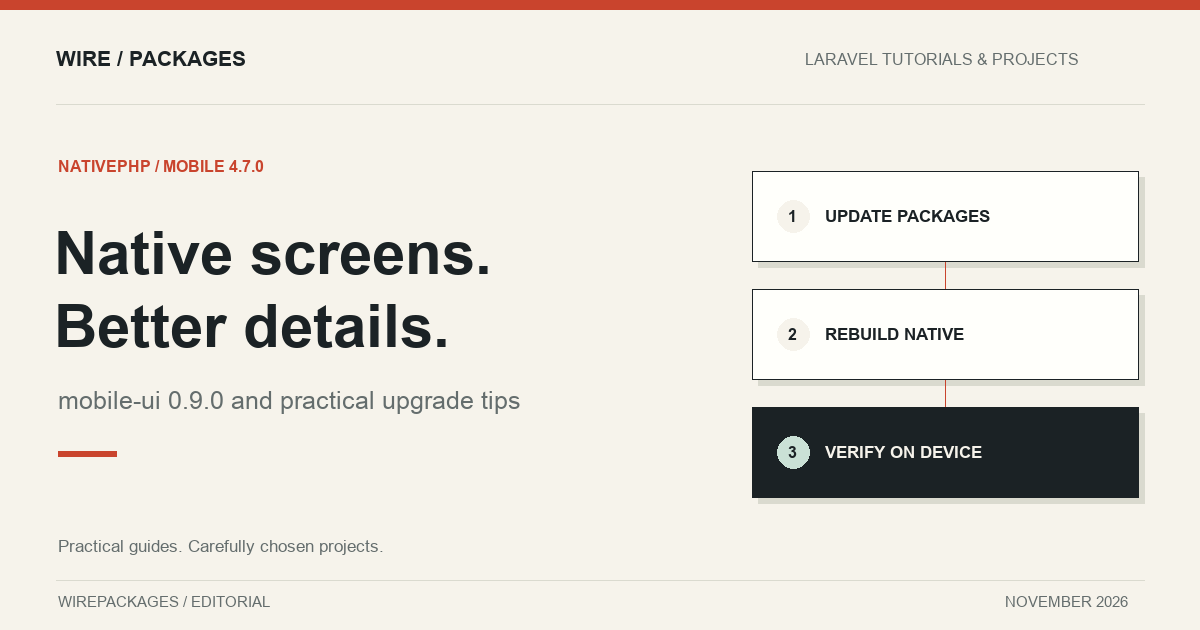
NativePHP Mobile 4.7.0 brings a useful combination of visible interface improvements and changes underneath the screen. Released alongside mobile-ui 0.9.0, it gives Laravel developers more control over navigation, forms and native interactions while tightening the build and packaging process. The official announcement appeared on 30 October; both tagged releases were published on 29 October 2026.
This is the mobile product. NativePHP Desktop has its own release history and installation process. If you are comparing the two, start with our NativePHP Mobile directory entry, then follow the documentation for the platform you actually ship.
Upgrade the native projects as well as Composer
The first practical detail is easy to miss: updating Composer dependencies does not regenerate the iOS and Android projects. NativePHP’s 4.7.0 announcement gives this upgrade sequence:
composer update nativephp/mobile nativephp/mobile-ui
php artisan native:install --force
php artisan native:run
Commit your current work before regenerating those projects, especially if you maintain native customisations. Review the resulting changes alongside composer.lock. mobile-ui 0.9.0 requires nativephp/mobile ^4.7, so treat the pair as a coordinated update rather than trying to upgrade the interface package independently.
For a reproducible release, record the resolved package versions, native build tools and application build number. A successful Composer operation proves that dependency resolution completed; it does not prove that the binary installed on your phone contains the new native implementation.
Navigation gets more consistent
Shared elements can now morph between screens through ref and @navigate.morph. This gives you a way to connect a list item visually to its detail screen. Use it where the relationship helps someone understand the transition, such as an image opening into a larger preview. Applying motion to every screen change can make routine navigation feel unnecessarily busy.
Route middleware now runs during navigation inside the native app. That matters for flows with prerequisites: onboarding, subscription access or an authenticated session. Keep actual data authorisation in your Laravel application too. A navigation check is useful, but it should not be the only thing protecting an operation.
The release also improves movement between native screens and web routes. Query strings survive an exit to a web route, and NativeComponent::query() exposes a native screen’s query parameters. Several deep-link fixes address cold launches, encoded queries and external destinations. A useful regression exercise is opening the same link with the app closed, already running and sitting on a different screen.
Native forms can use Laravel validation
Native screens can opt into Laravel validation, and mobile-ui can display errors on bound controls. The important word is opt: installing the release does not automatically give every existing form your intended validation rules.
Start with one short form. Submit it empty, submit an invalid value, then correct that value and submit again. Check whether the error is understandable next to the relevant input and whether the successful submission leaves the screen in the right state. Also check how the keyboard behaves when moving through fields.
mobile-ui adds controls for the return-key label, focus movement and AutoFill content types. Those details are especially useful for a sign-in or address form, where typing is already the slowest part of the interaction. Match the keyboard action to what the field actually does: moving to another field and submitting the whole form are different operations.
mobile-ui 0.9.0 adds smaller, useful interactions
The mobile-ui release includes native:popover and native:emoji-picker. A popover can keep a short contextual choice near its trigger; the emoji picker delegates selection to the platform. Both are worth considering before constructing an elaborate custom overlay for a small task.
Lists gain sticky headers, while pressables support context menus opened by a long press. Keep essential actions discoverable elsewhere as well. Someone should not need to guess a hidden gesture to complete the main purpose of a screen.
A bottom sheet can use a fit detent that sizes itself to its contents. This suits compact confirmations or small action menus. Test with longer translated labels and larger system text, because a sheet that looks comfortable with two short English buttons may behave very differently with realistic content.
List positioning and reporting also improve. auto-scroll-to can open lists at a specific row, and list events can report visible rows or a settled scroll. These tools are useful when restoring a reader’s place, but decide explicitly whether a new visit should restore old context or begin at the top.
Styling and device APIs
Custom SVG icons are supported, giving applications more room to express their identity. The release also adds native border treatments and outlined text, alongside font improvements. Those options are most valuable when they reinforce a clear hierarchy. A decorative text treatment is rarely the best choice for a dense settings screen.
The microphone API gains WAV recording, a duration limit and level information. If you add a recording interface, make the recording state and stop action obvious. Check permission denial and cancellation as deliberately as the successful recording path.
Device information now includes the phone’s timezone. Keep timezone handling explicit when exchanging timestamps with a server: an instant, a local appointment time and a display preference represent different things.
Faster iteration still needs release verification
Unchanged build steps can be skipped, Gradle caching is enabled, and iOS avoids repeatedly extracting an unchanged application bundle. These are useful improvements for everyday development, but the application version and build number also affect bundle extraction. Increment them deliberately when testing an upgrade from an older installed app.
The release incorporates bridge hardening, removes Composer authentication data from bundled apps and verifies PHP binary downloads against their manifest. Review the mobile release notes for the complete changes relevant to your application.
Before shipping, exercise your main journey in a release build on each supported platform. Include a cold launch, a deep link, a failed form submission, a long list and a return from the background. This article is a release review, not a claim that every listed capability has been independently device-tested. The best upgrade is one whose effect on your own application you can demonstrate.