DocSmith

Generate searchable static documentation websites from Markdown using PHP.
Screenshots
About DocSmith
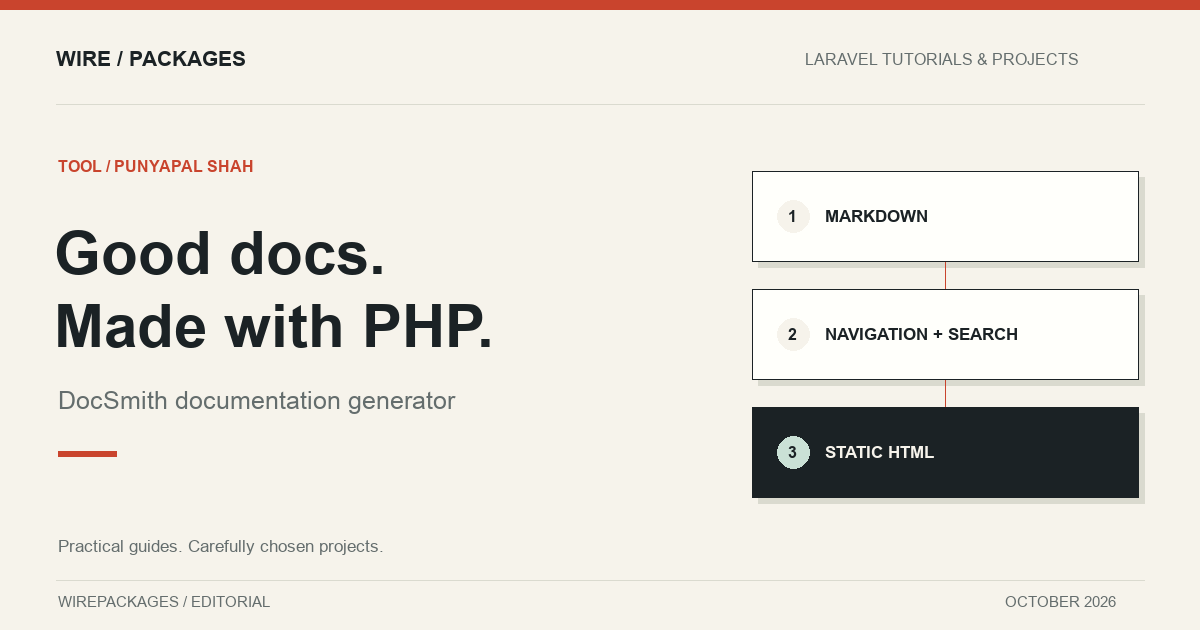
DocSmith is Punyapal Shah's PHP documentation generator. It turns Markdown source into a static documentation website with navigation, search and code presentation built around the needs of package and project maintainers. It is useful when a repository needs something more navigable than a README without introducing a separate frontend application.
The project is maintained under Punyapal's own GitHub account and distributed through Composer. It belongs in the tools section because its main output is a generated documentation site. A Laravel package can use it for its documentation, but the generator is not itself an application administration panel or a replacement for Laravel routing.
Keep documentation close to the project
Documentation often changes alongside an API. A new option needs an explanation, a renamed method needs an upgrade note and an example needs to match the code released with it. Keeping the Markdown source in the repository makes those changes reviewable in the same workflow as the implementation.
A generator then supplies the reader-facing structure. The maintainer writes the pages and controls the configuration, while the build creates the HTML, navigation and assets. This division is useful because the source remains easy to compare in Git and the published output remains straightforward to host.
Before choosing any generator, decide how contributors will verify their changes. A documented local build and a predictable output directory help reviewers see the result without guessing. The easier it is to preview a documentation change, the less likely it is that broken links or awkward examples reach readers unnoticed.
What DocSmith provides
The current README describes sidebar navigation, grouped sections, global search and an optional right-hand table of contents. It also documents highlighted code blocks, copy controls, repository links and previous or next navigation. These features address the ordinary ways people move through a technical guide.
Search is particularly useful when a package accumulates options and troubleshooting notes. A reader who knows the name of a configuration setting should not have to open every page to find it. At the same time, good page titles and section headings remain important. Search complements a readable structure rather than rescuing a confusing one.
The generator also publishes supported media from the source tree and rewrites references. That can keep diagrams, screenshots and downloadable material near the page that explains them. Review those assets before publication, especially when a screenshot originated from a real application with private data or environment-specific paths.
A PHP build script as the entry point
The documented setup uses a small PHP build script that loads Composer's autoloader and invokes DocSmith. The repository shows both a direct build API and a fluent configuration API. That gives PHP developers a familiar place to configure the source directory, output directory, title and presentation options.
The fluent configuration also exposes site and repository information. Set those values to the intended public destinations before publishing. A locally useful address can become an incorrect canonical or edit link if it is left in a release build. Review the generated output under the same path structure the host will use.
Treat the build script as application tooling. Keep it short, use explicit paths and make failures visible to the surrounding automation. A build that returns successfully while publishing an old directory is harder to diagnose than a failure that stops the deployment before any output is replaced.
Organise pages around reader tasks
Start with installation, a minimal working example and the first useful task. Follow with configuration, extension points and troubleshooting as the package grows. Readers should be able to complete something before they are asked to understand the entire internal architecture.
Use the navigation features to reflect that journey. A group called Getting started should contain the steps a new user needs, while an advanced section can hold customisation details. Avoid making the sidebar a mirror of internal class names unless the audience is specifically maintaining those classes.
Code examples need the same attention as implementation code. Keep complete runnable examples in the repository, test them against the documented dependency versions and reuse them in the prose where possible. That reduces the chance that a copied snippet drifts away from the working implementation after a release.
Verify the generated site
A useful build check confirms that expected pages exist, internal links point to the intended output and search data contains the relevant content. It should also catch references to missing images or files. The repository documents generated artifacts such as a search index and sitemap, which provide concrete things to inspect.
Browser review still matters. Check a long code block, a narrow screen and a page with several heading levels. A documentation site is often used next to an editor, so comfortable reading at a reduced width is valuable. Confirm that copying a code block produces the intended text without presentation-only line numbers or unexpected formatting.
For a versioned package, decide whether the site follows the latest release or maintains several versions. That policy affects URLs, navigation and how old examples are preserved. The generator gives you a publishing mechanism; the project still needs a clear statement about which release each guide describes.
Fit and maintenance
DocSmith is a good candidate for developers who want PHP-based documentation tooling with a small configuration surface. Compare its current requirements with the PHP version used by your documentation build environment, which may differ from the minimum version supported by the package you document.
The current repository uses the MIT licence and declares its dependencies in Composer. Inspect the tagged version and lockfile selected for your project before adoption. The most useful evaluation is a small set of your own documentation pages, built and read as a site, rather than a feature checklist viewed in isolation.
Sources: DocSmith repository, Composer package, and Punyapal Shah's open-source page. The image is original editorial artwork for this tool listing.
Reviews
Used DocSmith? Share your experience.
Log in to reviewNo reviews yet
Used it? Be the first to leave a rating.