Laravel 13: route a job to its own queue
Give preview jobs a dedicated destination in one service provider, then prove a real worker processes them.
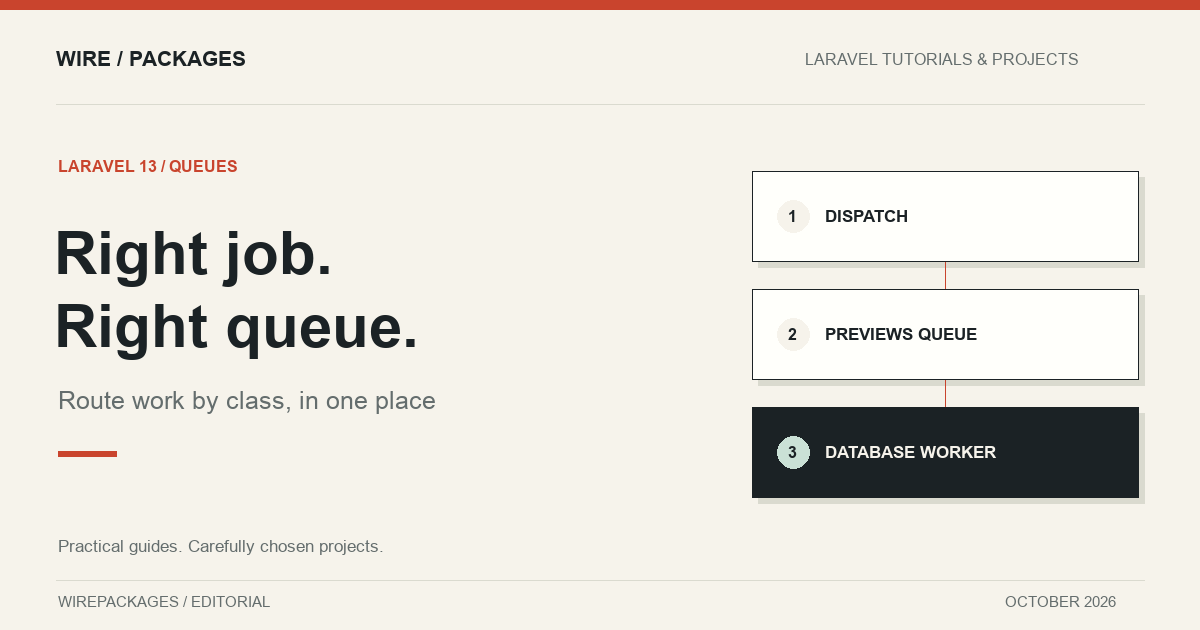
Preview generation starts as a harmless background job. Then somebody adds PDF exports, image processing and a nightly import, all on the same queue. A short preview request now waits behind work that takes minutes. The natural response is to give previews their own queue, but scattering connection names across controllers makes the next infrastructure change harder than it needs to be.
Laravel 13 lets you route jobs by class from a central location. This article gives one small job its own database queue, dispatches it normally, and runs a real worker to prove it gets processed. It is a focused example of queue routing, not a claim that a separate queue automatically fixes every slow background task.
Separate the job from its destination
The job's responsibility is application behaviour. The routing rule decides where that behaviour should execute. Keeping those decisions apart is useful when the same job can be dispatched from a controller, a scheduled command and an administrative action. Each caller can request the work without repeating infrastructure configuration.
Our demonstration job records that an article preview has been built. It deliberately avoids remote services and filesystem exports, so a test can process it without credentials or network access. In a real preview feature, the handler would call the renderer and store its result. The routing mechanism remains the same when the handler becomes more substantial.
<?php

declare(strict_types=1);

namespace Examples\Laravel13;

use Illuminate\Contracts\Queue\ShouldQueue;
use Illuminate\Foundation\Queue\Queueable;
use Illuminate\Support\Facades\Cache;

final class BuildPreview implements ShouldQueue
{
    use Queueable;

    public function __construct(public readonly int $articleId) {}

    public function handle(): void
    {
        Cache::put("article:{$this->articleId}:preview-built", true, 300);
    }
}
The article identifier is a scalar, which makes the payload easy to inspect. Passing an Eloquent model can be useful too, but it introduces model restoration and deletion behaviour that deserves its own explanation. This example keeps its attention on the journey from dispatch to the correct queue.
Register one routing rule
The service provider below maps the job class to a queue called previews on the database connection. The provider must be registered with the application. In the test we register it explicitly; in a normal Laravel application you would add your provider to the application's provider list or place the boot logic in an existing provider.
<?php

declare(strict_types=1);

namespace Examples\Laravel13;

use Illuminate\Support\Facades\Queue;
use Illuminate\Support\ServiceProvider;

final class PreviewQueueServiceProvider extends ServiceProvider
{
    public function boot(): void
    {
        Queue::route(BuildPreview::class, queue: 'previews', connection: 'database');
    }
}
The connection and queue describe different things. The connection selects a configured transport, such as the database driver. The queue identifies a workload within that transport. Using the same word for both can hide this distinction when reading deployment configuration, so descriptive names are helpful.
There is no requirement to use Redis to try this feature. The database driver gives us a persisted payload and a real worker path with SQLite in Herd. That makes the example accessible while still exercising dispatch, serialization, storage, execution and deletion of the completed job. A queue fake would skip most of that journey.
Dispatch from the application
The caller does not need to know the routing rule. This is the entire dispatch file used by the test:
<?php

use Examples\Laravel13\BuildPreview;

BuildPreview::dispatch(42);
Before processing anything, the test checks the jobs table and confirms that the row belongs to the previews queue. It then runs a database worker for that named queue with a single-job limit. After execution, it checks the observable result, verifies that the jobs table is empty and confirms that no failed job was recorded.
These are separate assertions for separate failure modes. Finding the row proves the destination. Finding the result proves the handler actually ran. An empty queue on its own would not prove success, because failed or discarded work can also leave a queue empty. Checking failed jobs makes the intent explicit.
Workers still need the matching configuration
A routing rule can put work in the right place while leaving it unprocessed forever. That happens when the worker listens to a different queue. When adding a new queue name, update the worker configuration as part of the same deployment. The code and the processes consuming its payloads are two halves of the feature.
For a local check, start a worker for the database connection and select the previews queue. For a deployed application, use the process supervision or queue management already established for that environment. Decide how many workers the workload needs and how it competes with higher-priority jobs. Routing defines placement; it does not create capacity.
Long-running workers also need to pick up new application code. Follow your deployment's worker restart procedure when changing providers or job implementations. Otherwise, the web process and a running worker can hold different assumptions about the same application. That is particularly confusing when a routing change appears to work for newly dispatched jobs but related handler changes do not appear.
Keep reliability decisions close to the work
Choosing a queue does not make a job safe to retry. A real preview renderer should tolerate repeated execution, and an export job should avoid producing duplicate externally visible effects. Think about the outcome if a worker completes an external operation and stops before acknowledging the payload. The transport cannot infer whether repeating your application code is harmless.
The same applies to authorisation. If the job acts on behalf of a user, check the relevant permission at the time the action matters. A request accepted several minutes earlier may no longer describe the current state. Use explicit application rules rather than assuming that the queue name implies a trusted caller.
Our example remains intentionally narrow: one class, one provider rule and one persisted execution. Its files live in the Herd project's examples directory, and the feature test uses those exact files. Once that path is understood, moving a busy class onto its own queue becomes a reviewable configuration decision instead of a hunt through every place that dispatches it.